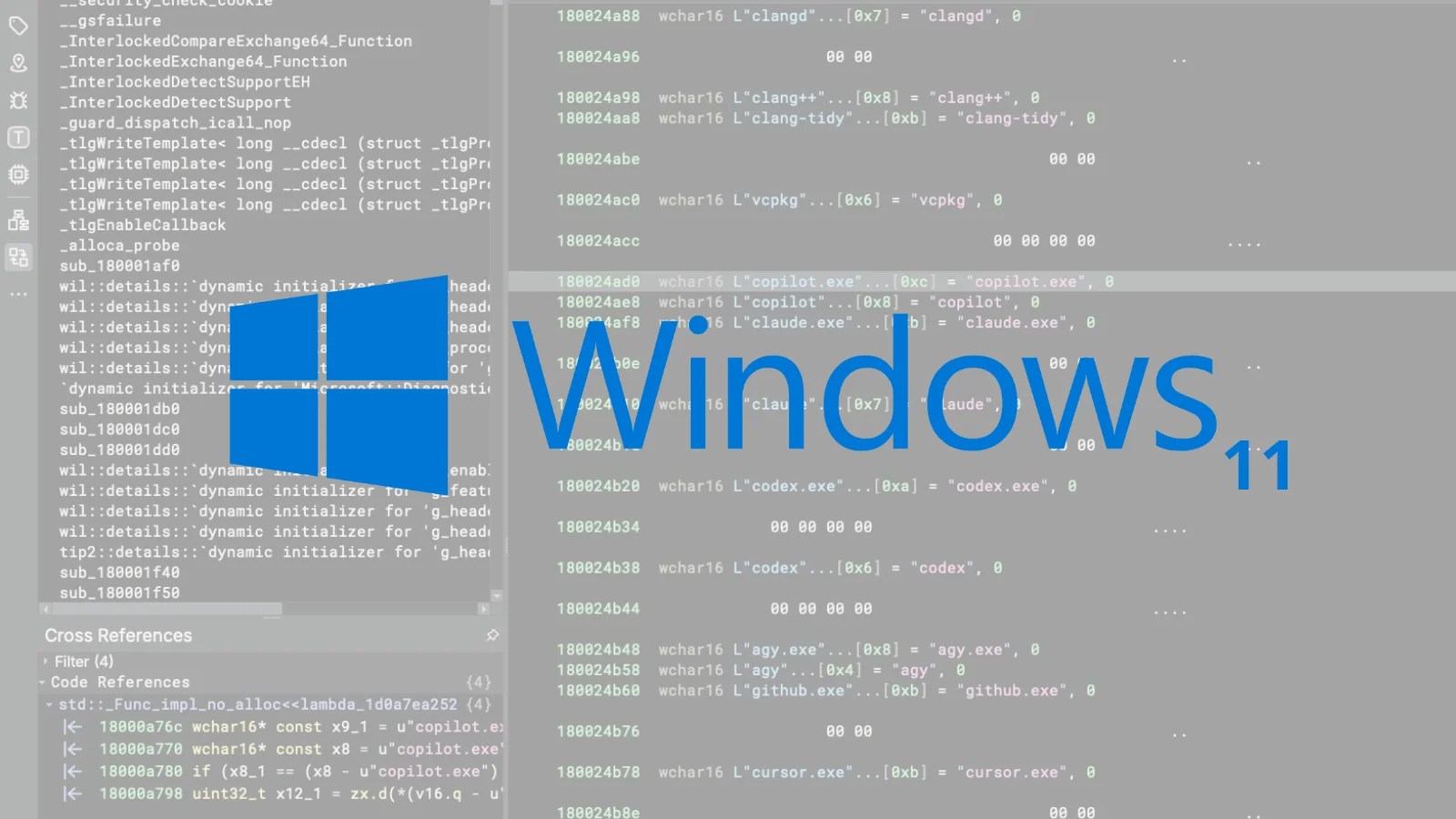
Microsoft’s latest operating system, Windows 11, includes a feature that tracks the AI coding agents and developer tools used by its users. This functionality, activated when optional diagnostic data is enabled, sends the collected information to Microsoft. Security researcher Xusheng Li discovered these capabilities and shared his findings on November 16, 2026.
Discovery of AI Tool Monitoring
Xusheng Li, a known security figure, first identified the tracking mechanism while exploring Windows files with an AI assistant. The assistant highlighted a list within the MissionControlAggregator.dll file, which included names like codex.exe, claude.exe, copilot.exe, and cursor.exe. This list also mentioned popular tools such as python.exe and dotnet.exe. Li’s investigation via Binary Ninja revealed that these names are part of a feature monitored by CLICodingAgentUsage.
Importantly, the DLL file does not actively scan running programs. Instead, it listens to existing Windows events, such as KernelProcess.AppStateChangeSummary and Win32kTraceLogging.AppInteractivitySummary, as well as WSL launch events. A simple match of a name, even without the program running, can trigger a report.
Implications of Data Collection
When a match occurs, a report is generated through Event Tracing for Windows, containing simple yes-or-no flags. Although runtime details are not included, the list of AI tools a developer uses remains private information. Li tested this feature on a Windows 11 ARM64 virtual machine, confirming that the telemetry service DiagTrack was engaged and collecting data.
Despite Microsoft’s classification of this data as optional, the default settings on a clean US installation of Windows 11 Home have this feature enabled. However, it is not universally active, as baseline VMs from public ISOs show the feature off.
Managing Privacy Settings
Users concerned about privacy should consider adjusting their diagnostic settings. By navigating to Settings, then Privacy & security, and Diagnostics & feedback, users can disable the option to send optional diagnostic data. Microsoft’s privacy guide indicates that only required data is necessary for device security and functionality.
AI coding tools, already a target for cyber threats, face additional risks as they become more integrated into development environments. Reports of information-stealing malware targeting AI tools like Claude, Cursor, and Codex underscore the importance of safeguarding developer data.
While Microsoft has not clarified the purpose behind this data collection, it may relate to future product development. Until more information is available, developers are advised to review their diagnostic settings and consider the implications of sharing their tool usage data.
Understanding these settings and their impact is crucial for maintaining privacy and protecting sensitive information. Developers and IT teams should remain vigilant and informed about the potential risks associated with AI tool tracking.