Skip to content
  • Home
  • Cyber Map
  • About Us – Contact
  • Disclaimer
  • Terms and Rules
  • Privacy Policy
Cyber Web Spider Blog – News

Cyber Web Spider Blog – News

Globe Threat Map provides a real-time, interactive 3D visualization of global cyber threats. Monitor DDoS attacks, malware, and hacking attempts with geo-located arcs on a rotating globe. Stay informed with live logs and archive stats.

  • Home
  • Cyber Map
  • Cyber Security News
  • Security Week News
  • The Hacker News
  • How To?
  • Toggle search form
Malware Targets Windows via Deceptive npm Package

Malware Targets Windows via Deceptive npm Package

Posted on June 22, 2026 By CWS

A recent security threat has emerged, targeting Windows environments through a cleverly disguised npm package. The malicious package, masquerading as a legitimate tool, installs a Remote Access Trojan (RAT) on developers’ systems, posing significant risks.

Deceptive npm Package Introduction

The threat initiates with a typosquatted npm package named postcss-minify-selector-parser. This fake package mimics the authentic postcss-selector-parser, a widely-used tool with over 150 million weekly downloads. Upon installation, the package triggers an encoded payload that unfolds a series of attacks culminating in the installation of a Windows RAT.

The RAT is capable of stealing sensitive information, executing shell commands, and maintaining contact with remote attackers. Security experts from JFrog were the first to identify and analyze this threat, releasing their findings on June 22, 2026.

In-Depth Attack Mechanism

Further investigation revealed two additional packages, postcss-minify-selector and aes-decode-runner-pro, associated with the same npm publisher. At the time of reporting, these packages were still available on the registry. The malicious packages cleverly utilize the same keywords and dependencies as legitimate tools, making detection difficult for developers.

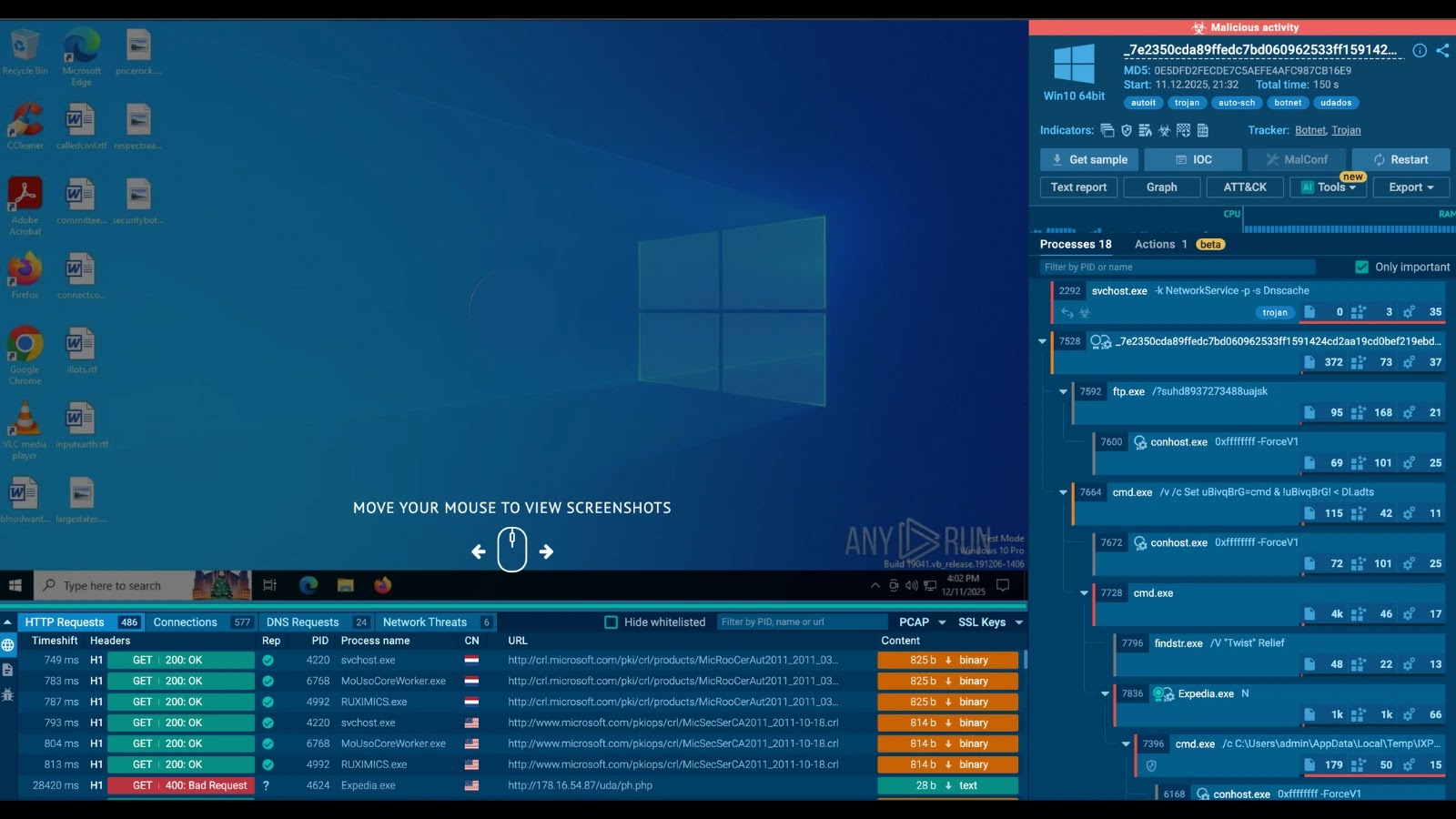
The attack’s execution involves a PowerShell downloader retrieving a ZIP file from a lookalike domain, which then extracts and executes a VBS script to initiate the RAT. This RAT is bundled as a Python application compiled with Nuitka, complicating inspection efforts.

Persistent and Sophisticated Threat

Once active, the RAT connects to a command-and-control (C2) server via encrypted HTTP communication. The malware establishes persistence through a registry key under the Windows Run section and stores critical data in the TEMP directory, ensuring it survives system reboots.

The RAT offers extensive capabilities, including remote shell access, file operations, and virtual machine detection. It uses various evasion techniques, such as WMI queries and MAC address checks, to avoid detection in sandbox environments.

Credential Theft and Exfiltration

Beyond remote control, the RAT features modules designed to extract saved login credentials from Google Chrome. By accessing Chrome’s local profile and decrypting data with Windows APIs, it compromises even the most secure passwords. The malware also gathers Chrome extension data, packaging it for exfiltration.

JFrog advises users who have installed these malicious packages to remove them immediately and inspect dependency trees for further risks. Security teams should block associated network indicators and treat all browser-stored credentials on affected machines as compromised.

Indicators of Compromise (IoCs) include specific IP addresses, domains, URLs, file paths, registry keys, and file names related to the malware’s operation. Affected users are urged to take prompt action to mitigate risks and secure their systems.

Cyber Security News Tags:Attack, C2 Server, Credentials, Cybersecurity, Developers, Encryption, Malware, NPM, RAT, registry persistence, Security, Software, Threat, Vulnerability, Windows

Post navigation

Previous Post: ClawHub Plugins Exploit Organizational Scopes in AI Ecosystem
Next Post: Remcos RAT Hidden in GST Note Targets Indian Users

Related Posts

Authorities Arrested 17 Criminal Bankers, EUR 4.5 Million Seized Authorities Arrested 17 Criminal Bankers, EUR 4.5 Million Seized Cyber Security News
New Microsoft 365 Admin Feature Let Admins Control Link Creation Policies New Microsoft 365 Admin Feature Let Admins Control Link Creation Policies Cyber Security News
CyberCheck360: Advancing Email Security Beyond Gateways CyberCheck360: Advancing Email Security Beyond Gateways Cyber Security News
Addressing SOC False Negatives with Interactive Analysis Addressing SOC False Negatives with Interactive Analysis Cyber Security News
Multi-Stage Windows Malware Invokes PowerShell Downloader Using Text-based Payloads Using Remote Host Multi-Stage Windows Malware Invokes PowerShell Downloader Using Text-based Payloads Using Remote Host Cyber Security News
Microsoft Details on Fixing Error “Identify Which Process Is Blocking a File in Windows” With Built-in Tools Microsoft Details on Fixing Error “Identify Which Process Is Blocking a File in Windows” With Built-in Tools Cyber Security News

Categories

  • Cyber Security News
  • How To?
  • Security Week News
  • The Hacker News

Recent Posts

  • Data Breach Impacts Cybersecurity Firms via Klue Integration
  • AryStinger Botnet Compromises 4,300 Routers for Global Proxy
  • Remcos RAT Hidden in GST Note Targets Indian Users
  • Malware Targets Windows via Deceptive npm Package
  • ClawHub Plugins Exploit Organizational Scopes in AI Ecosystem

Pages

  • About Us – Contact
  • Disclaimer
  • Privacy Policy
  • Terms and Rules

Archives

  • June 2026
  • May 2026
  • April 2026
  • March 2026
  • February 2026
  • January 2026
  • December 2025
  • November 2025
  • October 2025
  • September 2025
  • August 2025
  • July 2025
  • June 2025
  • May 2025

Recent Posts

  • Data Breach Impacts Cybersecurity Firms via Klue Integration
  • AryStinger Botnet Compromises 4,300 Routers for Global Proxy
  • Remcos RAT Hidden in GST Note Targets Indian Users
  • Malware Targets Windows via Deceptive npm Package
  • ClawHub Plugins Exploit Organizational Scopes in AI Ecosystem

Pages

  • About Us – Contact
  • Disclaimer
  • Privacy Policy
  • Terms and Rules

Categories

  • Cyber Security News
  • How To?
  • Security Week News
  • The Hacker News

Copyright © 2026 Cyber Web Spider Blog – News.

Powered by PressBook Masonry Dark