Microsoft Defender for Endpoint has introduced a significant advancement in cybersecurity with its new automatic device isolation feature. Designed to curtail the spread of ransomware, this capability disconnects compromised devices from the network as soon as a high-confidence threat is identified, eliminating the need for human intervention.
Automatic Isolation in Action
The automatic isolation function is part of Microsoft’s broader Automatic Attack Disruption framework. When the system detects an active ransomware attack or a complex intrusion, it promptly severs the affected device’s connection to the wider network. This action prevents attackers from accessing further systems while maintaining a communication link with the Defender for Endpoint service.
This feature ensures that security analysts maintain visibility into the compromised device, even as it remains isolated. Currently, this capability is targeted at end-user workstations managed by Microsoft Defender for Endpoint, excluding servers and unmanaged devices.
How the Automatic Attack Disruption Works
Microsoft Defender XDR leverages a vast array of signals from endpoints, identities, emails, and SaaS applications to create a comprehensive incident overview. Upon confirmation of an attack, such as ransomware spread or Business Email Compromise (BEC), the system initiates containment actions at the incident level.
Specifically, for device isolation, the compromised asset is disconnected from the network, preventing it from being used for lateral movement, data exfiltration, or further ransomware deployment. This isolation is tactically applied only to the devices directly involved, minimizing disruption to business operations.
Ensuring Effective and Safe Isolation
Microsoft has implemented several safeguards to ensure that automatic isolation does not hinder business activities. These include time-limited containment, allowing automatic reversal of isolation after a set period, and operator override, enabling security teams to release isolation after thorough investigation and remediation.
Additionally, scoped targeting ensures that only implicated devices are isolated, and not the entire network. Organizations can also set exclusion rules for critical business assets, allowing selective isolation rather than full network disconnection.
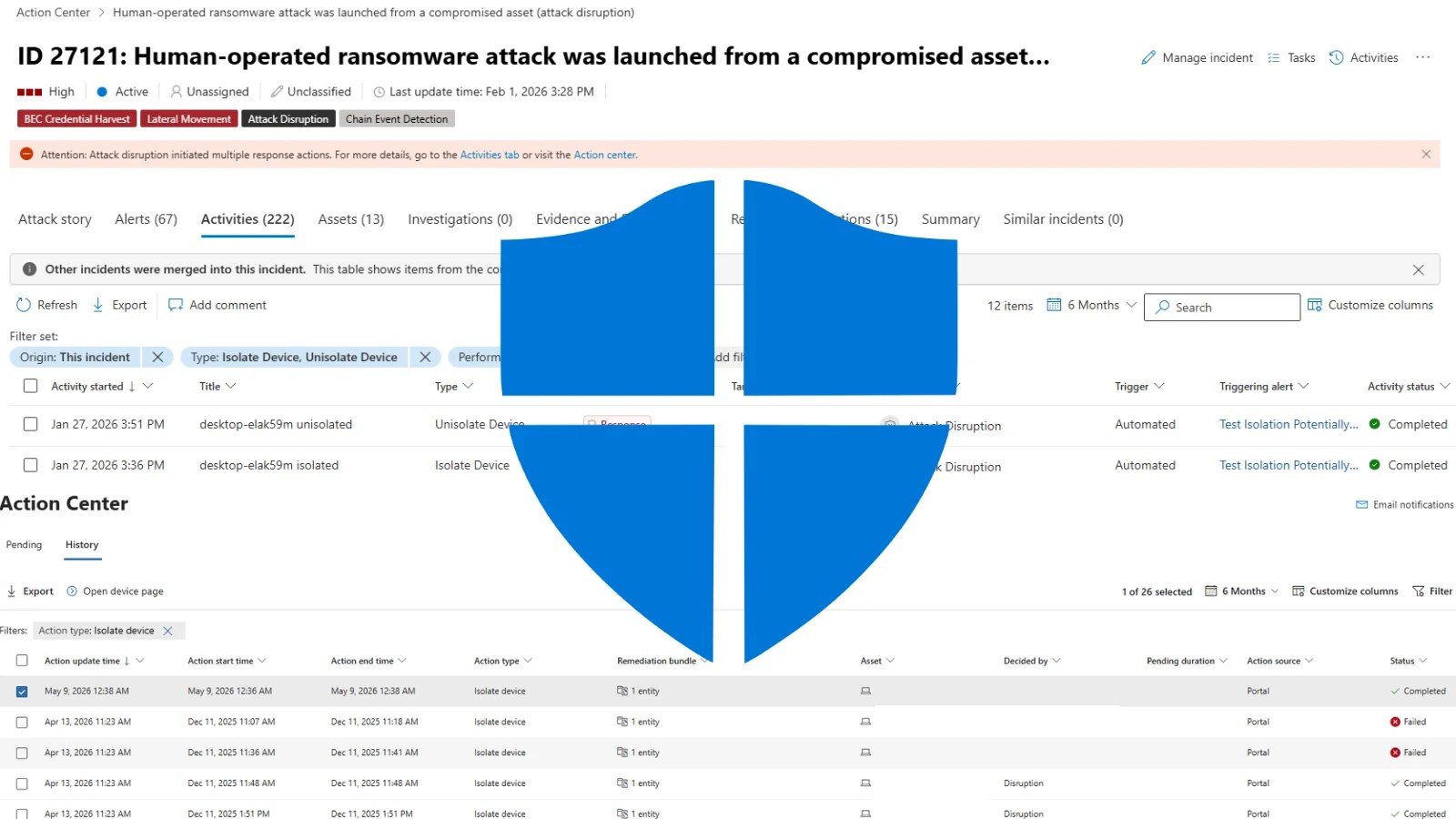
Once isolation is enacted, security operators can audit the entire activity in the Microsoft Defender portal, accessing detailed logs of each isolation event, including timestamps and triggering alerts. The Action Center provides a comprehensive historical log of all isolation actions, offering insight into their status and origins.
By automating the containment process upon detection of a high-confidence threat, Microsoft Defender for Endpoint significantly reduces the time between threat detection and response. This approach limits the attack’s potential damage, preserving both financial resources and operational productivity.