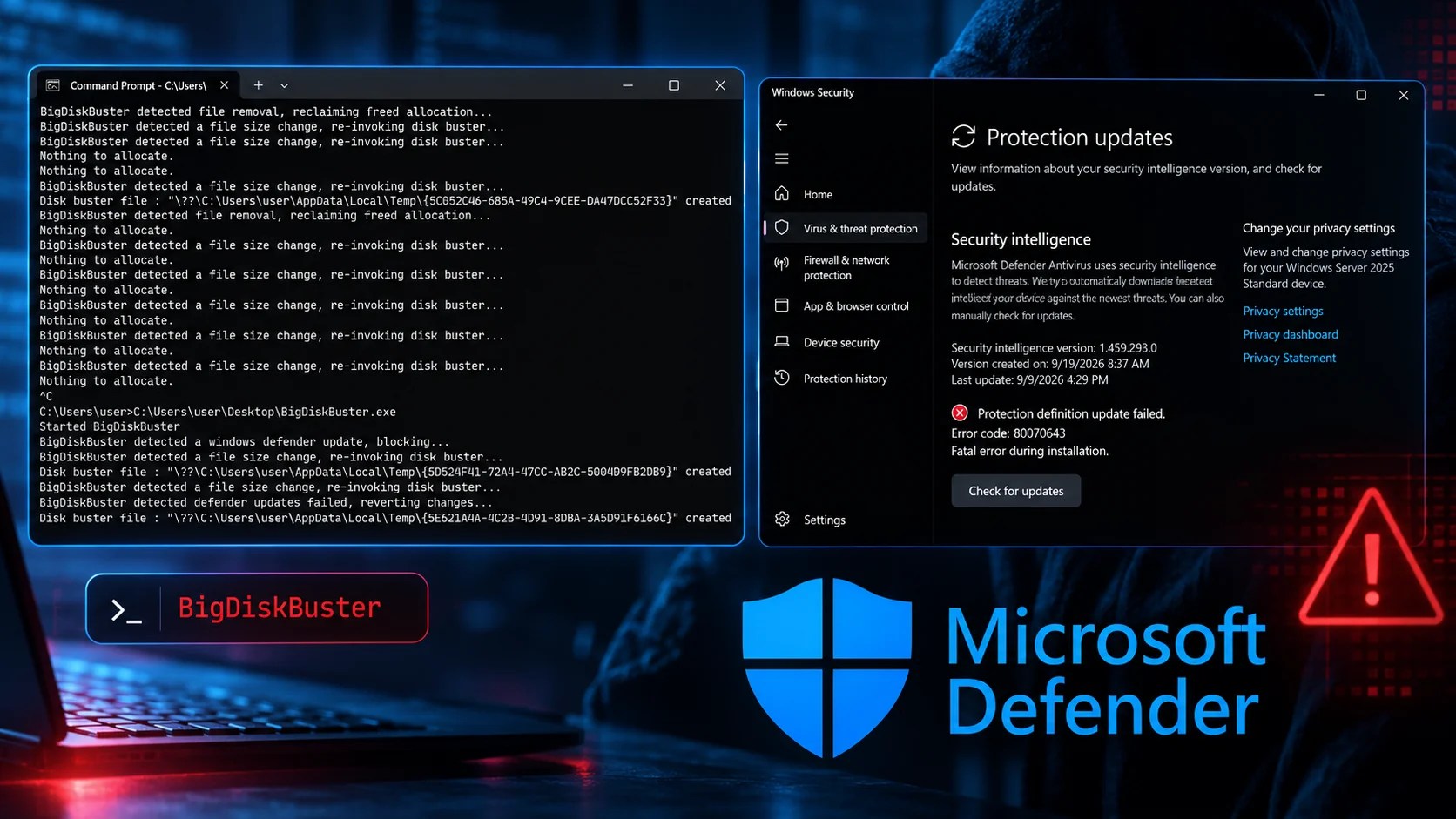
A cybersecurity researcher known as MSNightmare, or Nightmare-Eclipse, has unveiled a new proof-of-concept (PoC) technique dubbed BigDiskBuster. This tool aims to disrupt Microsoft Defender Antivirus updates by preventing both platform and security-intelligence updates from completing. Presented as the successor to the previous project UnDefend, BigDiskBuster raises significant security concerns.
How BigDiskBuster Operates
BigDiskBuster targets all supported versions of Windows, though the code is still experimental and not without flaws. Its compatibility has yet to be independently confirmed. Instead of disabling Defender outright, the program monitors the C: drive for changes in Defender’s update directories. When a new update directory is detected, BigDiskBuster creates a hidden file that consumes free disk space, effectively stalling the update process.
While files are being updated or removed, additional worker threads attempt to reclaim space, further depriving the installer of necessary storage. Additionally, the PoC opens the Windows Malicious Software Removal Tool (MRT.exe) with restrictive sharing permissions, preventing other processes from accessing or modifying it while the handle is active.
Potential Impact on System Security
The combination of disk space depletion and file locking hinders the update process for Microsoft Defender, impacting its ability to stage, install, and roll back updates. Once the Defender update directory is removed, the program interprets this as a failed update attempt, releasing the occupied space. A screenshot included in the disclosure indicates an error message, “Protection definition update failed,” with error code 0x80070643, a generic installation failure code.
This PoC’s security implications are noteworthy, as Microsoft Defender relies on timely updates to maintain its antivirus components. Blocking these updates could compromise an endpoint’s defense capabilities, leaving it vulnerable to new malware threats. Administrators are advised to watch for signs of free-space depletion, hidden files in temporary directories, persistent MRT.exe handles, and recurring Defender update failures.
Precautionary Measures for Administrators
Microsoft logs update events in Applications and Services Logs under Microsoft, Windows, Windows Defender, Operational. Event ID 2000 records successful updates, and the absence of such logs could indicate a problem. Organizations should not treat every update error as an attack but should validate affected systems, preserve telemetry data, and recover disk space.
Microsoft’s update mechanisms include Windows Update, WSUS, the Windows Security app, and MpCmdRun.exe. Compromised systems require a comprehensive incident-response review. Administrators need to ensure their systems remain protected by monitoring space usage and update events to avoid potential exploitation.
With cybersecurity threats evolving, integrating threat intelligence into your SOC can drastically reduce alert investigation time. Stay prepared by enhancing your organization’s response capabilities.