In a concerning development, a malware campaign dubbed Yoba is targeting individuals by exploiting the popularity of AI tools such as ChatGPT and Claude. The campaign involves fake GitHub projects posing as desktop applications, which deceive users into downloading harmful software.
Deceptive GitHub Projects
These fraudulent projects masquerade as legitimate applications named GPT-5.6 Sol, GPT-6 Astra, and Claude Opus. Hosted on GitHub, a platform trusted by many developers, these projects appear genuine to unsuspecting visitors. Once users execute the installers, they inadvertently grant attackers control over their computers, posing significant risks to both personal and corporate environments.
Check Point Research has revealed that these fake projects utilize GitHub Pages to describe the malicious software, providing download links to ZIP files stored in GitHub releases. Despite the absence of fake stars or forks intended to boost apparent popularity, these projects rank highly in Google search results due to a technique known as SEO poisoning.
Malicious Techniques and Tools
The ZIP files in question lack password protection, a common measure to evade automated scanners. However, the samples exhibit low detection rates due to sophisticated anti-analysis mechanisms. This method of operation mirrors other incidents, including malware embedded in 7z archives within fake repositories, as reported by researchers from QiAnXin.
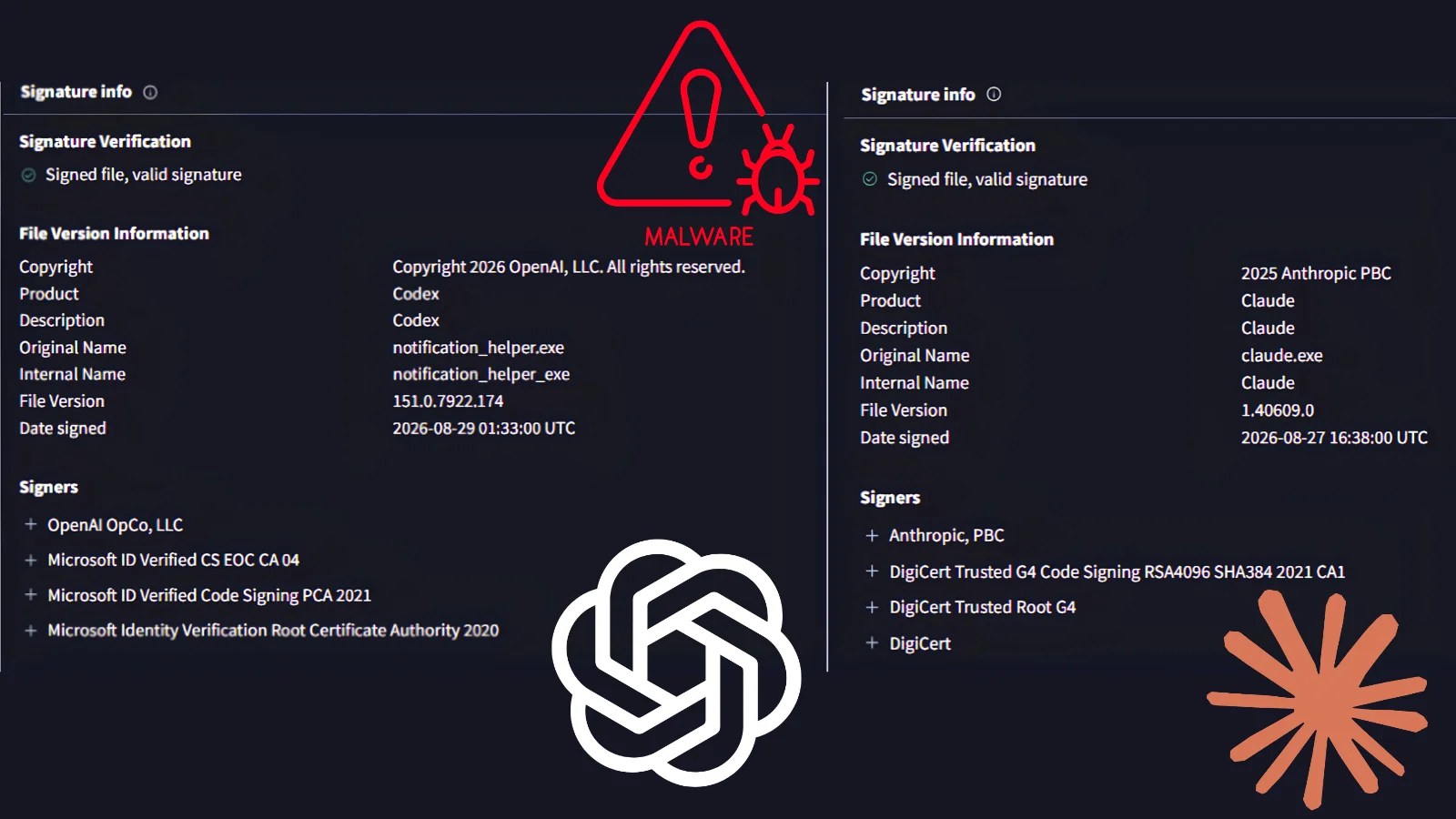
Check Point’s analysis shows that the Yoba campaign employs signed Setup.exe files from reputable entities like OpenAI or Anthropic, alongside malicious DLL files. This technique, known as DLL sideloading, allows malicious code to execute within trusted processes, complicating detection efforts by security tools.
Impact and Recommendations
The Yoba malware chain involves a dropper that verifies the execution environment and bypasses non-target systems. It proceeds to create a scheduled task disguised as a legitimate Microsoft process, complicating identification. The loader component dynamically constructs domain names from a Telegram channel image to evade blocking, ultimately retrieving commands and payloads from encrypted DNS queries.
Experts emphasize that users should only download AI applications from official sources like openai.com and anthropic.com. It’s crucial to scrutinize repository details before installation. Security teams are advised to monitor for unusual DLL loading patterns, suspicious scheduled tasks, and encrypted DNS traffic to mitigate potential threats.
Given the evolving tactics of cybercriminals, staying informed and vigilant is essential to safeguarding digital assets against such sophisticated malware campaigns.