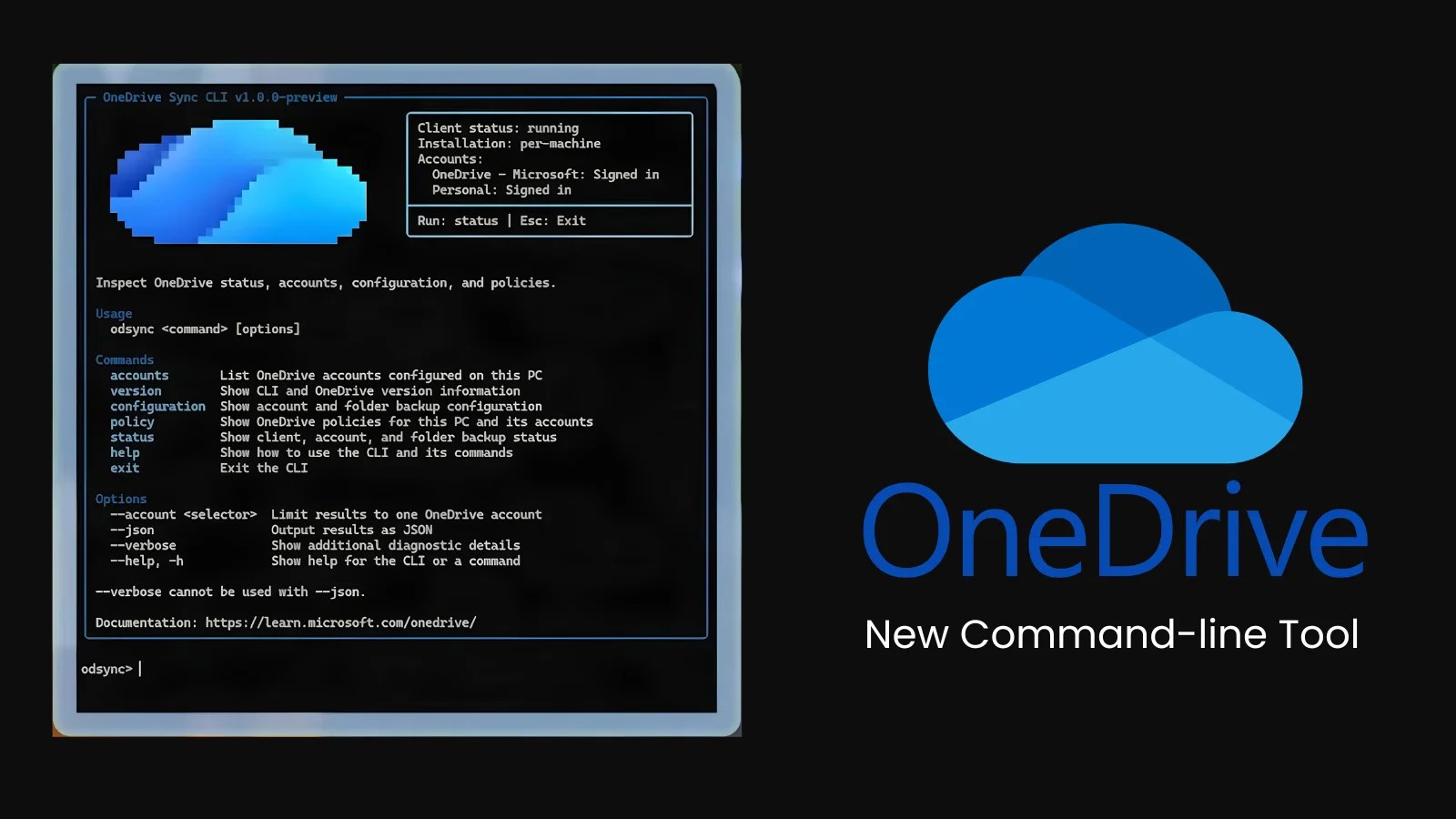
Microsoft has unveiled a new command-line tool designed to streamline OneDrive sync management for IT administrators. This tool, announced at the recent OneDrive + Copilot event, aims to enhance efficiency for teams managing extensive Microsoft 365 environments.
Enhancing IT Efficiency with Command-Line Interface
The OneDrive Sync Client Command Line Interface, referred to as odsync, provides a simplified approach to accessing detailed device health information. Demonstrated by Microsoft’s Andrey Esipov, this tool allows IT admins to bypass traditional settings screens and log file searches, offering a more direct method for overseeing OneDrive operations.
The CLI tool is capable of listing all OneDrive accounts on a device, including those with multiple accounts. It can also pinpoint specific accounts and display critical information such as the version of both the sync client and the CLI, the operational status of OneDrive, and installation details.
Advanced Features for Security and Automation
Additionally, the tool offers insights into Folder Backup settings, showcasing which folders are cloud-backed. A particularly beneficial feature for security teams is its ability to display applied Group Policy settings, ensuring adherence to organizational protocols. The tool’s capacity to report on client, account, and Folder Backup status enhances troubleshooting capabilities, especially when verbose output is enabled.
Designed with scripts, automation, and AI agents in mind, the CLI can output results in JSON format, facilitating integration with scripts, Microsoft Intune, and reporting tools. This feature supports both interactive and non-interactive operations, making it a versatile tool for developers and administrators.
Addressing Sync Management Challenges
OneDrive sync management is often overlooked, resulting in potential security risks if settings deviate from established policies. Previous reports have highlighted how misconfigured sync settings can lead to data leaks or unauthorized access, emphasizing the need for effective management tools.
By providing a clear view of the sync client’s status across devices, this tool enhances security measures and helps identify configurations that could lead to incidents. The OneDrive Sync CLI is set to enter private preview soon, although Microsoft has not yet disclosed a public release date or full command list.
IT professionals are advised to familiarize themselves with Microsoft’s guidance on file sync planning for SharePoint and OneDrive and to stay updated through official release notes. Proactive adaptation of defenses against emerging threats remains crucial in maintaining data security.



.webp?ssl=1 "Revival of Bugtraq: Original Cybersecurity Forum Returns")